How Does a Camera Take a Photo?
A camera bends light through a lens onto a sensor. The sensor turns light into electrical signals, and the camera stores them as a digital picture.
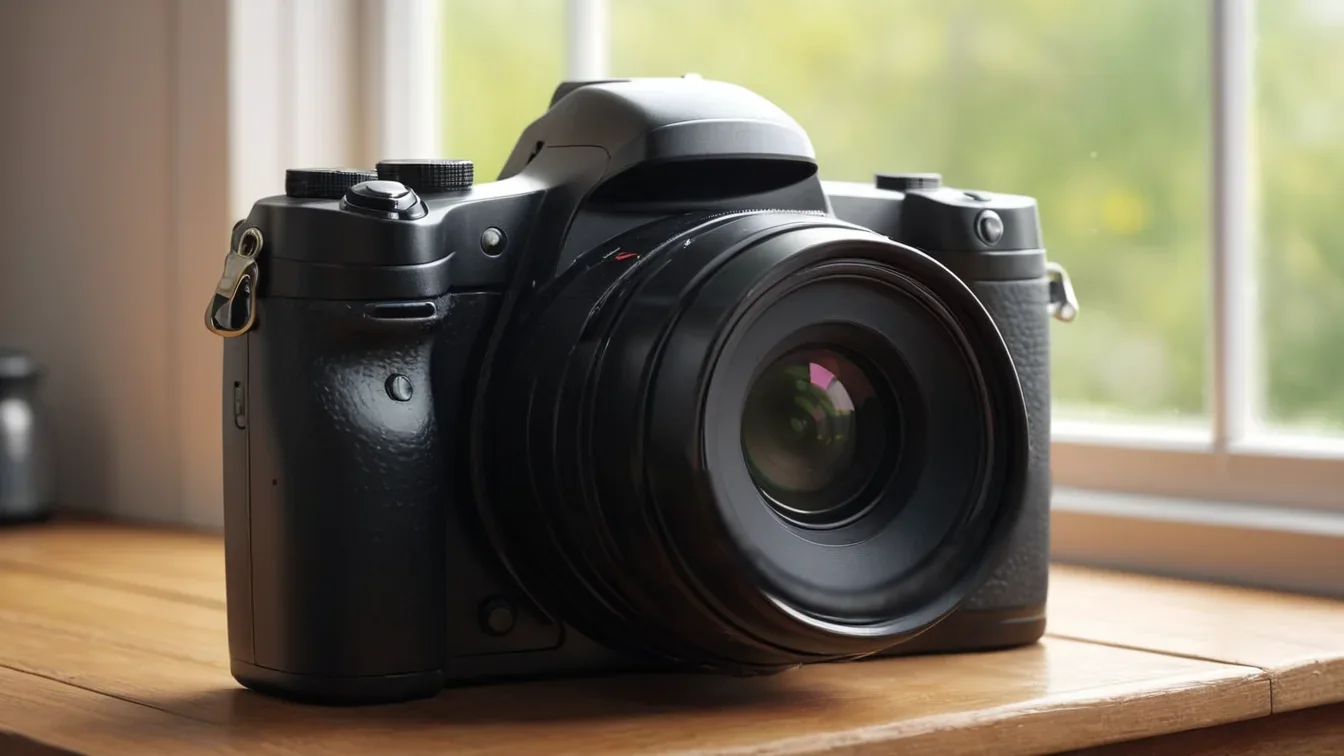
Tap a button on your phone and, in a split second, a picture of your room, your friend or a sunset is saved. The camera did not paint it. It captured light that was already bouncing off the scene. So how does light become a photo?
The short answer: A lens bends light from the scene so that it lands on a sensor. The sensor turns that light into electrical signals, one for each tiny spot called a pixel, and the camera stores those signals as numbers that make up the picture.[1][2]
Light arrives from every direction
Everything you can see is seen because light bounces off it and reaches your eyes. A camera works the same way. Light from each part of a scene travels outwards in straight lines, and some of it enters the camera.
If the camera just let light in without any control, the picture would be a blur. The camera needs a way to send light from each point of the scene to one matching point on a flat surface.
Pinhole first: straight lines and an upside-down image
The simplest camera is a box with a tiny hole in one side. Light from the scene passes through the hole and lands on the back wall. The Cambridge NRICH maths team explains the key idea: “light rays travel in straight lines which means we can use geometrical principles to investigate what is happening in the pinhole camera.”[3]
Light from the top of an object travels down through the hole and lands low on the back wall. Light from the bottom travels up and lands high. The same NRICH page says that this lets us “see why it will be upside down compared to the original object.”[3]
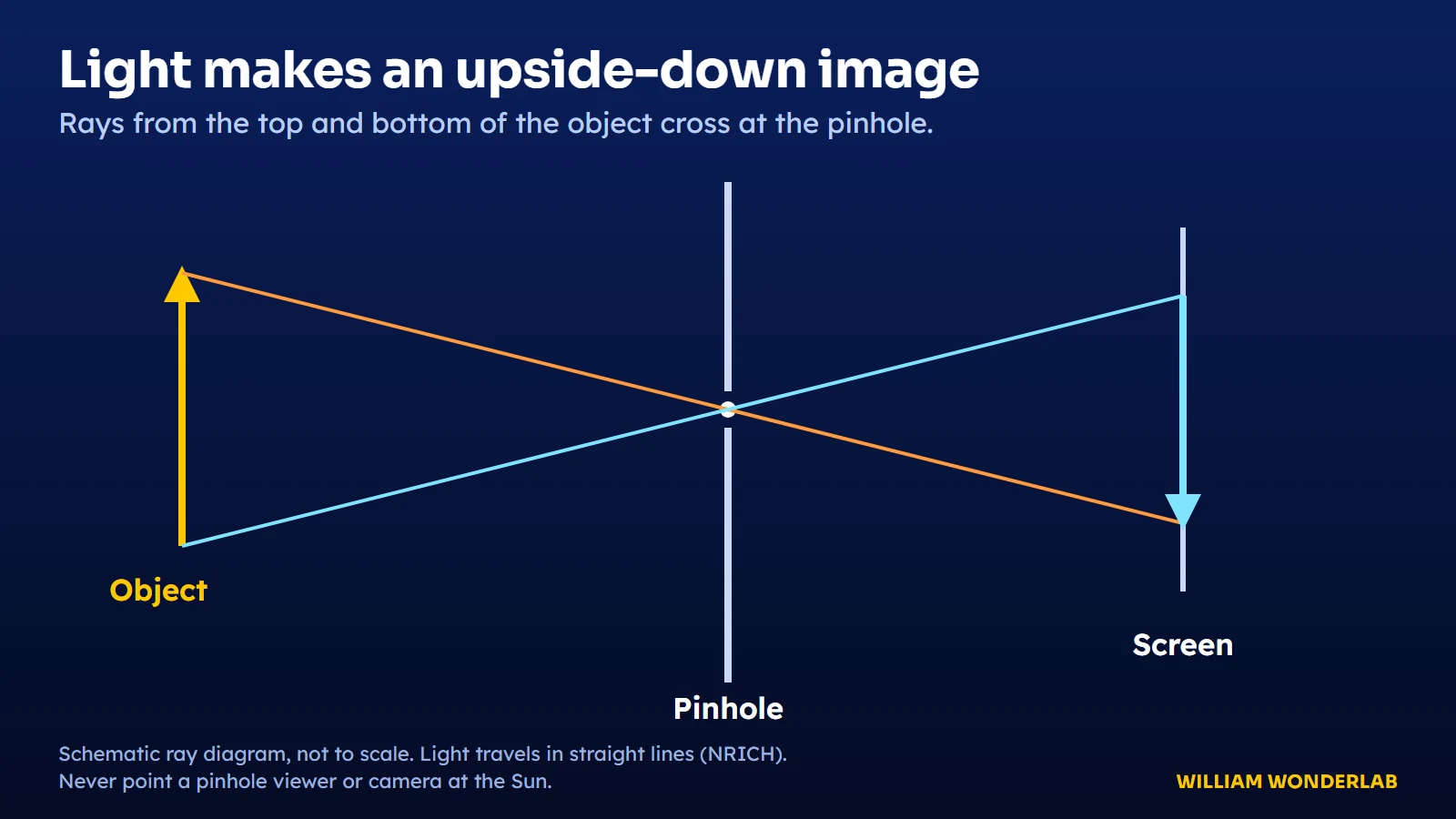
A smaller hole gives a sharper image, but less light gets through. A lens solves this trade-off.
A lens bends light into focus
A lens is a piece of clear glass or plastic with a curved surface. NASA’s Space Place explains that “A lens, just like in eyeglasses, bends light passing through it.”[1] Because the lens bends light, it can gather much more light than a pinhole. It also bends the rays from each point of the scene so that they meet again on the sensor.
The NASA page also says that early telescopes “focused light using pieces of curved, clear glass, called lenses.”[1] Camera lenses use the same bending of light to make a sharp picture.
To focus, the camera moves the lens closer to or further from the sensor. This changes where the bent light lands, so a near object or a far object can be made sharp.
The sensor turns light into electricity
The sensor is a flat chip covered in many small light-sensitive spots called pixels. A pixel is the smallest part of a digital picture. The Bowling Green State University explainer on CCD and CMOS sensors says that “Both sensors start by converting the light from the image into electrons.”[2]
That means brighter light gives more electrons in a pixel, and dimmer light gives fewer. The electrons are then moved and measured. The BGSU page describes the next step for CCD sensors: “CCD sensors take that electron charge and transport it across the sensor’s surface where it is then read at a corner.”[2]
CMOS sensors, which are common in phones, do the reading inside each pixel. The same BGSU page says that “CMOS sensors have transistors at each pixel that boost and transport the electron charge using wires.”[2]
Finally, the measured amount in each pixel is turned into a number. The BGSU page says that the “analog to digital reader then takes each pixel and assigns a digital value to it.”[2] The picture is a grid of these numbers.
A sensor does not see colour by itself
An electron count tells you how bright a pixel is, but not what colour the light was. To record colour, most cameras cover the pixels with a pattern of coloured filters. The Amateur Photographer article by Bob Newman describes the common pattern as one that “senses colour using a repeated pattern of red, green and blue filters over the sensor pixels.”[4]
In this pattern, the green filters outnumber the others. Newman writes that “Notice that the Bayer array has two luminance elements for each chrominance one,” using “luminance” for the green pixels and “chrominance” for the red and blue ones.[4]
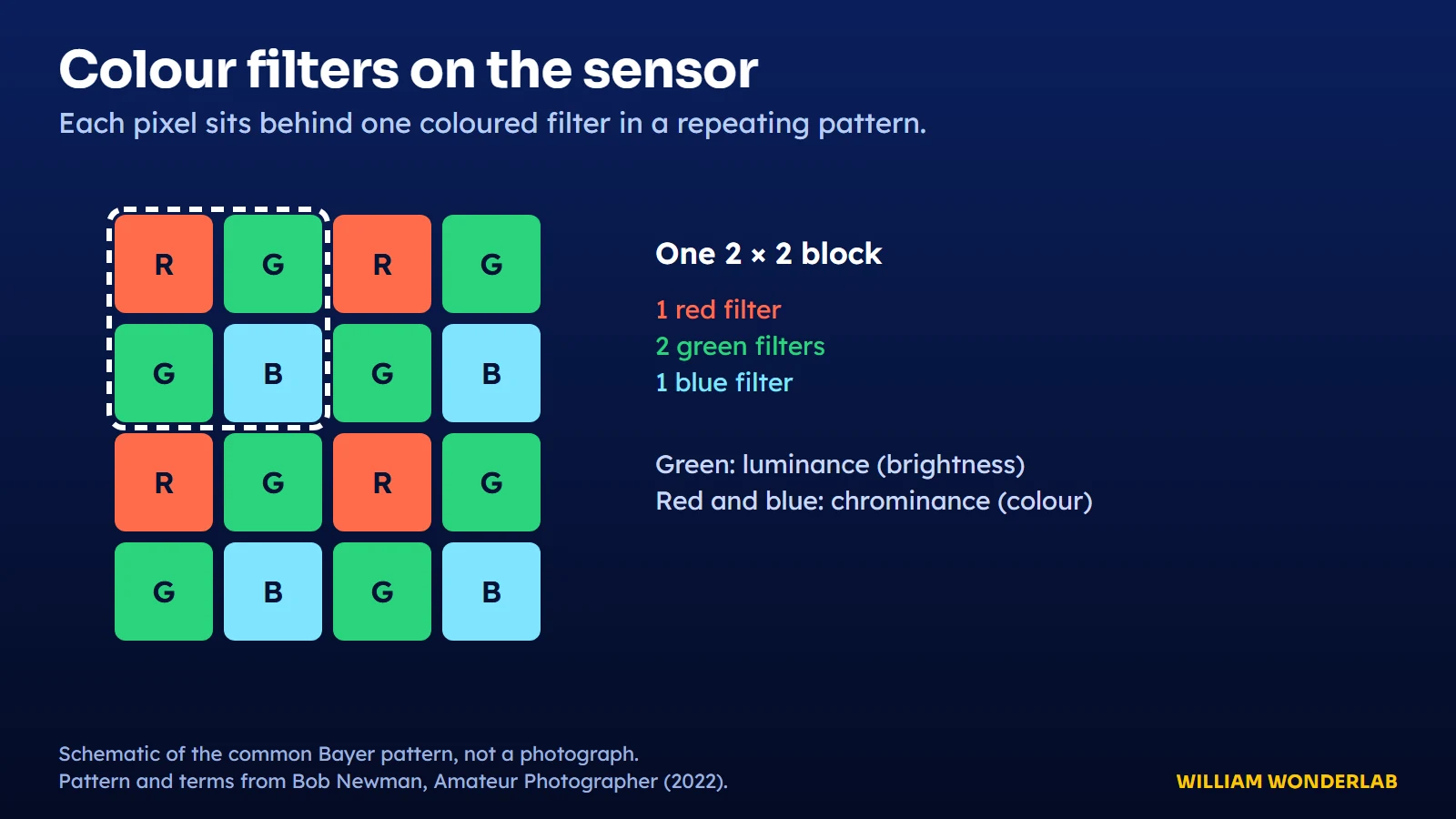
Did you know? A camera’s sensor does not see a colour photo directly. It records brightness through filters, and the colour picture is built from those filtered pixels.[4]
Try it: make a pinhole viewer
This is a proposed at-home activity that uses the same straight-line idea as the pinhole camera.
You need: a cardboard tube or small box, aluminium foil, a piece of white paper, sticky tape, an adult to make a tiny hole with a pin, and a bright lamp indoors.
- Predict what you will see on the white paper if you look at a lit lamp through the pinhole.
- Tape the foil over one end of the tube, and have an adult make a small pinhole with a pin.
- Put the white paper at the other end. Point the pinhole at a lamp in a dim room, and look at the paper inside the tube.
- Compare the image with the shape of the lamp. Which way up is the image?
What to expect: A small, upside-down picture of the lamp appears on the paper, in line with the NRICH explanation.[3]
Safety first: Never point a pinhole viewer at the Sun, even for a second. Never look directly through it at any bright light. Pins are sharp, so an adult should make the hole and store the pin safely. Use an indoor lamp only, and keep the set-up away from hot bulbs.
Go deeper: focal length and sharp images
A lens focuses many rays at once
A pinhole lets in only a thin slice of light from each point. A lens gathers a wider cone of light and bends it back together. This is why a camera can take a bright, sharp picture in a short time.
Why lens distance matters
Moving the lens changes where the focused image lands. The camera needs the sensor at the right distance for the subject to be sharp. If the sensor is too close or too far, the picture looks blurred.
Frequently asked questions
Why is the picture upside down inside a pinhole camera?
Light from the top of the object crosses the light from the bottom at the pinhole, because light travels in straight lines. The NRICH explanation links this to straight-line geometry.[3]
What does the lens do?
A lens bends light so that light from one part of a scene lands on one part of the sensor.[1]
What is a pixel?
A pixel is a tiny light-sensitive spot on the sensor. Each pixel gives a value that becomes a small part of the digital picture.[2]
Does a camera see colour?
Most cameras do not record colour directly. They use coloured filters over the pixels, and the camera builds the colour picture from those filtered values.[4]
Is it safe to look through a camera at the Sun?
No. Looking at the Sun through a camera, pinhole or lens can damage your eyes. Never point any optical device at the Sun.
The big idea
Light in, numbers out. A lens bends light onto a sensor, and the sensor turns light into electrical signals. The camera stores those signals as numbers that make up your photo.
Related reading
More from William Wonderlab:
- How Do Touchscreens Know Where You Touch?
- How Do LED Lights Make Light?
- How Does a Microwave Heat Food?
Explore more from scientists:
- Pinhole Camera (NRICH, University of Cambridge)
- CCD and CMOS sensors explained (Bowling Green State University)
- How Do Telescopes Work? (NASA Space Place)
References
[1] NASA Space Place, “How Do Telescopes Work?” (accessed 25 October 2026)
[2] Bowling Green State University, digiphotos blog, “CCD and CMOS sensors explained” (accessed 25 October 2026)
[3] NRICH, University of Cambridge, “Pinhole Camera” (accessed 25 October 2026)
[4] Bob Newman, “In praise of Bryce Bayer and the supreme Bayer Sensor”, Amateur Photographer, 28 December 2022 (accessed 25 October 2026)